

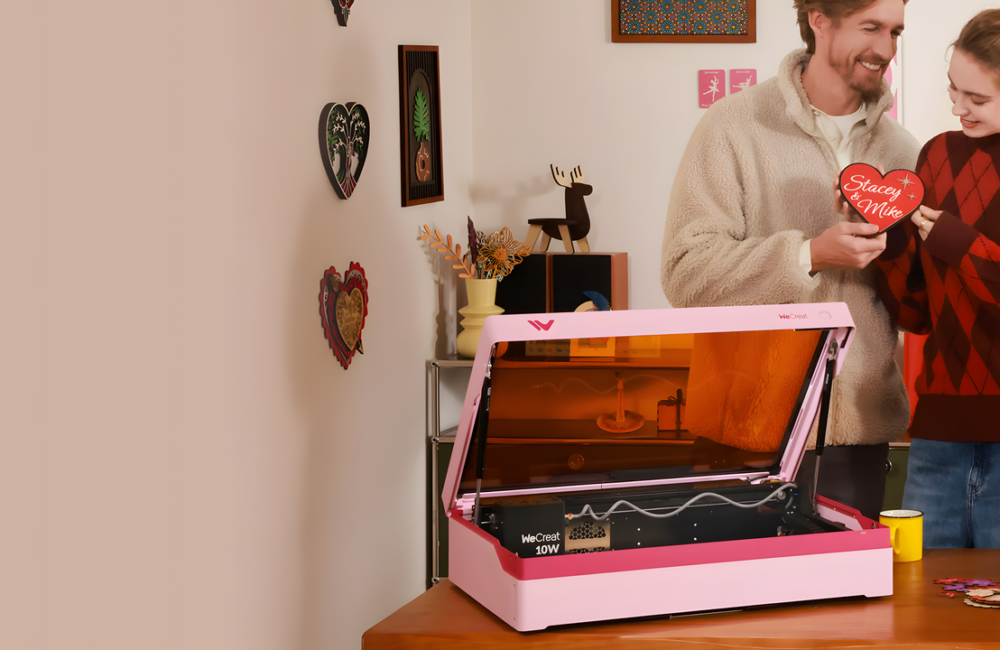

A practical overview of the WeCreat product ecosystem, what it is, who it’s for, and why its workflow design matters.
The WeCreat website positions its machines around a simple promise: make laser engraving and cutting easier to run safely and predictably, especially for beginners, without boxing out small-business throughput. Across the lineup, the recurring themes are workflow automation (less setup, fewer manual adjustments), camera-assisted positioning, and enclosed designs intended to keep a desktop workspace more controlled and approachable.

What WeCreat Sells (and How the Lineup Is Framed)
The catalog is organized around multiple laser engraver/cutter families, with clear positioning by user maturity and use case. For example, the WeCreat Vision series is marketed as an all-in-one enclosed desktop system built around ease of setup (including auto-lifting) and a built-in HD camera to simplify placement and preview. The Vision Pro series emphasizes higher-performance cutting and broader productivity features for more frequent production use.
Vision Series
Positioned for DIY, side hustles, and users who prioritize a guided setup experience.
- Auto-lifting chassis to accommodate different material thicknesses
- Built-in HD camera for “what you see is what you get” alignment
- Material presets/quick settings approach to reduce trial-and-error
Vision Pro Series
Positioned for higher throughput, thicker cutting, and expanded work area options.
- BeamFocus™ optics positioning for higher power density and finer detail
- Large working area and optional pass-through conveyor workflow
- Modular laser options, including diode and infrared modules
Workflow First: Auto-Lifting, Camera Alignment, and “Previewable” Output
A consistent message across the WeCreat pages is that the machine should remove steps that traditionally cause friction—manual height adjustments, repeated test burns, and alignment guesswork. Auto-lifting is highlighted as a way to accommodate different stock thicknesses without extra riser hardware. The built-in camera is promoted as a way to line up designs directly on the material and preview results before committing.

Practical takeaway: If you are onboarding new users (family, students, staff) or switching materials frequently, the WeCreat emphasis on auto-lifting and camera-based placement is designed to reduce “setup tax”—the time lost before the first successful cut or engraving.
Performance and Production: BeamFocus™, Work Area, and Pass-Through Options
For users who want to move beyond occasional crafting into more repeatable output, the Vision Pro pages foreground BeamFocus™ technology—described as concentrating laser energy to enable thicker cuts, faster engraving, and fine detail. The same section highlights a comparatively large desktop work area, plus the ability to expand into longer jobs via a pass-through conveyor approach.

Safety and Workspace Control: Enclosures and Fume Management
Enclosed operation is central to the WeCreat positioning, especially for home and studio environments. The Vision Pro materials emphasize a full metal enclosure described as FDA Class 1 for safety framing, along with a fume extraction accessory ecosystem intended to reduce odor and airborne byproducts when working with materials like leather and acrylic.

Who This Ecosystem Fits Best
Based on how the site frames the product families, WeCreat is aiming at three primary buyer profiles:
- First-time laser users: People who want a guided workflow (camera alignment, quick settings) and a more “appliance-like” experience.
- DIY and side-hustle makers: Users who need repeatability and versatility across many materials while still keeping setup overhead low.
- Small-business production: Teams that benefit from higher cutting capability, batch capacity, and optional pass-through workflows for longer workpieces.
If you want to explore the lineup and current bundles directly, start here:
Tip: On the product pages, compare work area, laser modules, and workflow accessories (rotary, pass-through, fume extractor) against the projects you expect to run most often.








Leave a Reply